The fall festival flyer is on the counter: a Saturday in October, 10 to 2, on the school field. When you weigh Cozi vs Skylight, getting that flyer onto the calendar costs the same on both, so the real choice is whether you want a screen on the kitchen wall.
- The part that reads a school paper costs the same. It's $79 a year for Cozi Max or for Skylight's Calendar Plus. Skylight's $79 sits on top of a screen, because Skylight's help says Magic Import needs an activated Calendar.
- The screen is the real price difference. Skylight's screens run $169.99 (10" Calendar) to $599.99 (Calendar Max) on its product pages, and the calendar itself needs no subscription. Cozi is free to start and runs on any phone and the web. If the dates you type sit inside the next month, Cozi Free is fine; if kids without phones should see the day, that's what the screen is for.
- You don't have to pick one. Skylight shows a Cozi calendar for free, so the family can keep Cozi on their phones and still have the wall. For every option side by side, see our best family calendar app 2026 roundup.
How does a school flyer get onto each calendar?
On the free tiers of both, you type it. On the $79 tiers, you send the flyer from your phone, and each app turns it into an event you then check.
Cozi
Cozi Max's AI Event Import reads a forwarded email, a PDF or a photo of a paper flyer (Cozi). You copy your Cozi address from the Calendar tab and email the photo to it. Cozi says its AI features work in the mobile app, not on the website.
The event lands with you, the sender, as the attendee. If the flyer is for Addy, open the event and change the attendee. Our Cozi review covers Gold, Max and the 30-day window in full.
Skylight
Calendar Plus's Magic Import starts in Sidekick on your phone. Tap at least one Profile, snap the flyer, and Skylight shows a draft to confirm or edit before you tap Add to Calendar.
On the wall screen, Photo shows a QR code that opens Sidekick on your phone. You can also email the flyer to your Calendar's own address with the Profile names in the subject line. You check that import once it's in, in a confirmation email with a trash icon for each item and Undo Import.
Skylight's own help says Magic Import "may not always get everything right," so read the event before the festival.
Either way the import starts on a phone; the screen only changes where the family sees the day.
The year-at-a-glance page: where Cozi Free stops
On Cozi Free, you can only add events for the next 30 days, so in September the March break waits until February (Cozi). On the district's year-at-a-glance page from the first-week packet, with no-school days and early releases for both Addy and Theo, that means coming back to the same sheet every month.
Cozi Gold ($39 a year) lets you add further ahead, per Cozi's app store listing. Our guide to Cozi Free's 30-day window covers the limit in full. Skylight's free calendar lists no window like Cozi's.
The paid imports don't settle it either. Cozi doesn't say what Max does with a page of many dates, and Skylight doesn't say what Magic Import does with one.
A season schedule with two kids
Both imports put a paper's events on the same people. Cozi Max makes the sender the attendee, and Skylight's email import puts the Profiles named in the subject line on every event in that email.
So if Theo's soccer schedule comes in tagged to you, or to both kids, each game needs editing to sit on Theo. Skylight's in-app import uses the Profiles you tap first, so send one kid's schedule at a time.
The coach's sheet lists every team in the league, plus a Tuesday practice. Cozi doesn't say whether Max keeps only your kid's games or makes the practice one repeating event, and Skylight doesn't say either.
The practice is quick to type on any tier: both event editors have Repeats, so it goes in once as a weekly event. If the team uses TeamSnap or the league posts a calendar link, connect that instead, free on both.
You can run Cozi on a Skylight
Skylight syncs a Cozi calendar for free, so the family keeps Cozi on their phones and sees it on the wall. It's one way: you add and edit in Cozi, and the events show on the Skylight.
- On my.cozi.com, open Settings, then Shared Cozi Calendars. Check the calendars to share, choose View or Send Cozi URL, and copy the link.
- In the Skylight app, open Synced Calendars, then Sync new calendar, then Calendar URL, and paste the link.
Skylight says not to sync Cozi's calendar of all events, so share each person's calendar instead. Cozi says sharing calendars out works on Cozi Free.
Where the flyer goes after the dates are in
Cozi events can't hold a file or photo, so once the festival is on the calendar, the flyer has nowhere to live but the counter (Cozi). You can paste a link into an event's notes. Skylight doesn't say whether an event keeps the flyer.
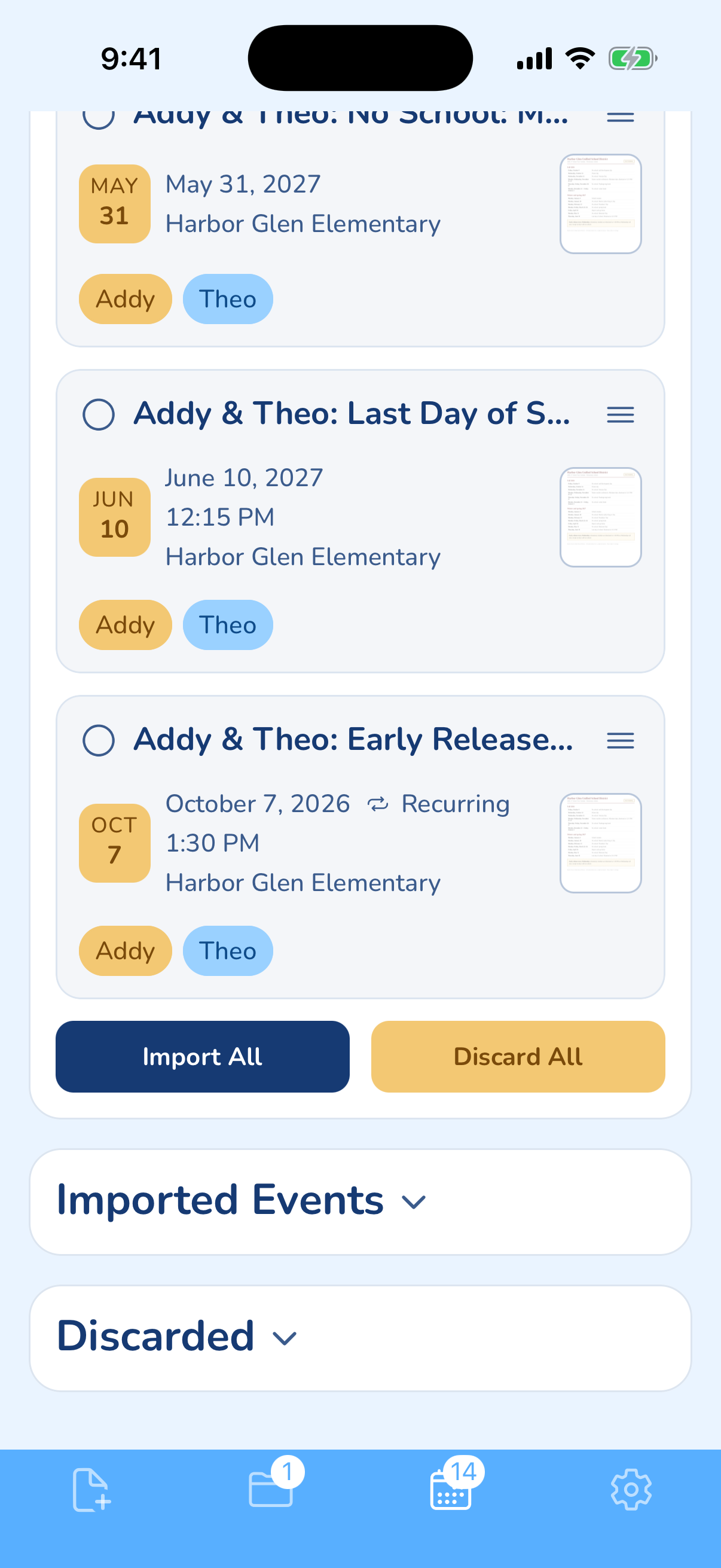
With KidsFoldr, snap the flyer, the year-at-a-glance page or the season schedule, and every date on it lands on your family calendar with no typing, each event tagged to its kid. On the season schedule, Smart Extract keeps only your kid's games, and the Tuesday practice comes in as one repeating event.
Two kids, a season schedule and a new flyer every week: each one is handled the moment you snap it. Every event links back to its paper in the calendar entry's notes, so you scan the flyer for peace of mind, then toss it, and the counter stays clear. The paper itself is filed under the right kid, grade and type as you snap it.
KidsFoldr puts events on the Google, iCloud or Outlook calendar you choose, a shared family one included. Skylight shows Google and iCloud calendars (Outlook one way) for free, and Cozi can subscribe to a Google or iCloud calendar link, read-only.
Cozi vs Skylight, side by side
Both give the family one shared calendar.
Scroll sideways on a phone. The row label stays put.
| How they differ | Cozi | Skylight | KidsFoldr |
|---|---|---|---|
| How a school paper gets onto the calendar | Type it. On Max, forward the photo, PDF or email to your Cozi address (AI features work in the mobile app) | Type it. On Calendar Plus, snap it in Sidekick on your phone, or email it to the Calendar's address | Snap it, add it from Files or the share sheet, or forward the school email to papers@kidsfoldr.app from the email on your account |
| Who the imported events belong to | The sender, as attendee | The Profiles you tap first, or name in the email's subject | Each event tagged to its kid |
| A page of many dates | Cozi doesn't say | Skylight doesn't say | Reads every date on the page |
| Season schedule: just your kid's games | Cozi doesn't say | Skylight doesn't say | Keeps only your kid's games; the weekly practice as one repeating event |
| School or league calendar links | Subscribes, read-only, free | Syncs URL calendars and TeamSnap, free | Puts the paper's events on your Google, iCloud or Outlook calendar |
| How far ahead you can add | Free: the next 30 days. Gold: further ahead | No window like Cozi's is listed | Any date on the paper |
| Where the family sees it | Phones and the web | The wall screen and the phone app | The Google, iCloud or Outlook calendar you choose, on every phone it reaches (Skylight can show Google and iCloud) |
| Who's on it | Up to 12 people, each with their own email, one shared password | As many Profiles as you like; share by invite link | Up to 6 people on one account, a color for each; share any folder, paper or event |
| Running both | Shares its calendars out as a link, Cozi Free included | Syncs a Cozi calendar one way, free | Events go to Google, iCloud or Outlook, which Skylight shows and Cozi can subscribe to |
| Where the paper goes | Events can't hold a file or photo | Skylight doesn't say | Every event links back to its paper |
| Price | Free; Gold $39 a year; Max $79 a year ($79.99 on Cozi's Max page and in the App Store) | Screen $169.99 (10" Calendar) to $599.99 (Calendar Max), 15" Calendar 2 $299.99; calendar free; Calendar Plus $79 a year ($7.99 a month in the iPhone app) | $3 a month. 14-day free trial, no card. |
Which fits your family?
Pick Cozi if the family lives on their phones and you'd rather spend nothing, or $39 a year, than buy a screen. Pick Skylight if kids without phones should see the day on the wall.
Cozi fits if your dates mostly sit inside the next month, so Cozi Free covers you. You also get shopping and to-do lists and a recipe library, free, for up to 12 people, on any phone and the web. Cozi Free carries ads (Cozi), and one Gold upgrade covers the whole family.
Skylight fits if the day belongs on the wall where everyone walks past it. Two-way sync with Google and iCloud, the chore chart and lists are all free, and one Calendar Plus covers every Skylight Calendar in the home. Buy it from Skylight's own store and you have 4 months to return it, so you can decide whether a Skylight calendar is worth it for your family.
And if half the family wants each, run Cozi on the Skylight, as above.
How we compared
We ran hands-on tests and checked each app's documented features. Cozi and Skylight facts come from their own product pages, help centers and blog posts, listed in Sources, and prices were checked on the date in the pill at the top of this page.
Questions parents ask
Is there a cheaper Skylight calendar alternative?
Cozi on your phones is the cheaper route: free, or Gold at $39 a year. Cozi Max reads a flyer photo for $79 a year with no screen to buy. If you want Skylight's wall screen, its 10" Calendar is $169.99 on Skylight's product page, and the calendar needs no subscription.
Does Skylight need a subscription?
Not for the calendar. Adding events, syncing calendars, chores and lists are free. Calendar Plus ($79 a year) adds Magic Import, photos and meal planning.
Can Cozi read a photo of a school flyer?
Yes, on Cozi Max. Email the photo to your Cozi address, and the event lands with you as the attendee. Cozi doesn't say whether it keeps the photo.
Can I use Skylight without buying a screen?
Yes. Skylight offers an app-only account with calendars, tasks, lists and recipes, plus a Family Email anyone can use to add events. Skylight says it works best with a device, and doesn't say whether that account can use Magic Import.
Does KidsFoldr work with Cozi or Skylight?
Yes, through the calendar you already use. Snap the paper, and every date on it lands on your Google, iCloud or Outlook calendar, tagged to its kid. Skylight shows Google and iCloud calendars, and Cozi can subscribe to a Google or iCloud calendar link, read-only.
Sources
Checked Nov. 9, 2026.
Cozi
- Compare plans
- Cozi Max
- Calendar
- Feature overview
- FAQ
- Using Cozi with other calendars
- Introducing Cozi Max
- Why more families are upgrading to Cozi Max
- How to add links to your Cozi calendar events
- Homepage
- Cozi Family Organizer, App Store
Skylight
- 10" Calendar
- 15" Calendar 2
- Calendar Max
- Calendar Plus
- Skylight app, App Store
- What requires a subscription
- How to use Magic Import
- Import calendar events with Sidekick
- Email Events, Recipes, Menus and Photos With Sidekick
- The Calendar Tab
- Calendar (mobile app)
- Syncing a Cozi calendar
- What can Skylight sync with
- Subscribed calendars
- Linking multiple Profiles to one calendar
- Sharing access
- Account without a device
- About Calendar Plus
- Refund and return policy