- When we checked, keepy.me's security certificate had run out (in May 2026), Keepy's help center was closed, and we couldn't find Keepy's kids' app in the App Store or Google Play.
- If the Keepy app is still on your phone, don't delete or offload it. Save every picture you can, and if you ever turned on Keepy's Dropbox sync, check your Dropbox.
- For the art coming home now, pick a home by what you used Keepy for: printed books, voice notes, free storage, or art filed with schoolwork and report cards.
You photographed the kindergarten self-portrait in Keepy, then recycled the paper. If the Keepy app won't load for you now, don't delete it yet. Here's what we found, and how to save the art you have.
If you were looking for a Keepy app review before signing up, what we found below is the answer.
What we found when we checked Keepy
Keepy's website, help center and kids' app were out of reach on every channel we checked. We found no statement from Keepy explaining why.
For years, Keepy gave families one private place for kids' art and schoolwork. It launched in 2013 as an iPhone app: you photographed a drawing, added a voice or video note, and invited family to see it (TechCrunch; Keepy).
Here's what each channel showed:
- Website: keepy.me's security certificate ran out in May 2026, so browsers won't load the site securely.
- Help center: Keepy's help center redirects to Zendesk's "help center closed" page.
- App Store: searching "keepy" and "keepy kids art" turned up other apps named Keepy and other kids' art apps, but not Keepy's.
- Google Play: the same. The apps named Keepy come from other developers, and none of them is Keepy's kids' app.
- X: the newest post we could see on Keepy's account is from October 2020.
We won't guess at why. Some art-app roundups still list Keepy as available, but we couldn't find it in either store.
If the Keepy app is still on your phone, keep it there
Don't delete or offload the Keepy app until you've saved what's in it. Apple lets you reinstall an app from your purchase history only "if it's still available," and we couldn't find Keepy's app in the App Store.
-
1
Leave the app installed.
Deleting an app removes it and its data from your iPhone (Apple). You can reinstall an app you downloaded before from App Store > your picture > Apps & Purchase History, but only "if it's still available" (Apple).
-
2
Turn off automatic offloading.
On iPhone, go to Settings > Apps > App Store and turn off Offload Unused Apps. Offloading keeps the app's data, but the app itself has to come back from the App Store (Apple). On Android, go to Settings > Apps > Keepy and turn off "Manage app if unused." Google says an archived app can be restored only if it's "still available to download in the app store," and some of these settings need Android 15 or later (Google).
-
3
Check your Dropbox.
Keepy offered Dropbox sync as a backup for your pictures (Keepy; TechCrunch; Engadget). If you ever turned it on, sign in to your Dropbox and look for the copies.
-
4
Save every picture you can still open.
If the app still opens and shows your pictures, take a screenshot of each one, so a copy lands in your photo library, outside Keepy. Start with the pieces whose paper is already gone.
-
5
Keep your phone backup on.
iCloud Backup includes app data (Apple), and Android backup includes apps and app data, though not every app can back up everything (Google). Neither Apple nor Google says a backup can bring back an app that's no longer in its store, so treat the backup as a safety net, not the plan.
If the app is already gone
Look for copies that live outside Keepy.
Places worth checking:
- Your Dropbox, if Keepy's sync was ever on.
- Emails and family group texts where you sent a drawing to the grandparents.
- Shared albums you made in your phone's photo app.
- Your camera roll, if you ever photographed a piece with the phone's own camera first.
For the originals still in the drawer, scan each one again for peace of mind, then let the paper go.
Where to keep your kids' art now
Pick by what you used Keepy for: printed books, voice notes on a drawing, free storage, or art filed with the rest of your kids' papers. Whichever you pick, start from the pictures you've saved to your phone's photo library.
This fall's crayon drawings are already stacking up on the counter, and a scan beats a bin for keeping them. The order below follows the job, not a ranking.
For printed books and help with the scanning: Artkive
Artkive is in the App Store and makes hardcover books of your kids' art. It also offers mail-in digitizing: you send the art, and they photograph it for you (Artkive).
If you were weighing Keepy vs Artkive before, Artkive is the one we found in the App Store. The app is for iPhone and iPad, and Android users upload through Artkive's mobile site. You label each piece with your child's name, grade and date (Artkive).
For voice or video notes on a drawing: Keepbox
Keepbox lets you record a voice or video note on each piece, the closest match we found to Keepy's narration. It's on iPhone and Android, syncs to Google Drive, Dropbox or iCloud, and makes hardcover art books (Keepbox).
For art plus report cards and schoolwork, filed for you: KidsFoldr
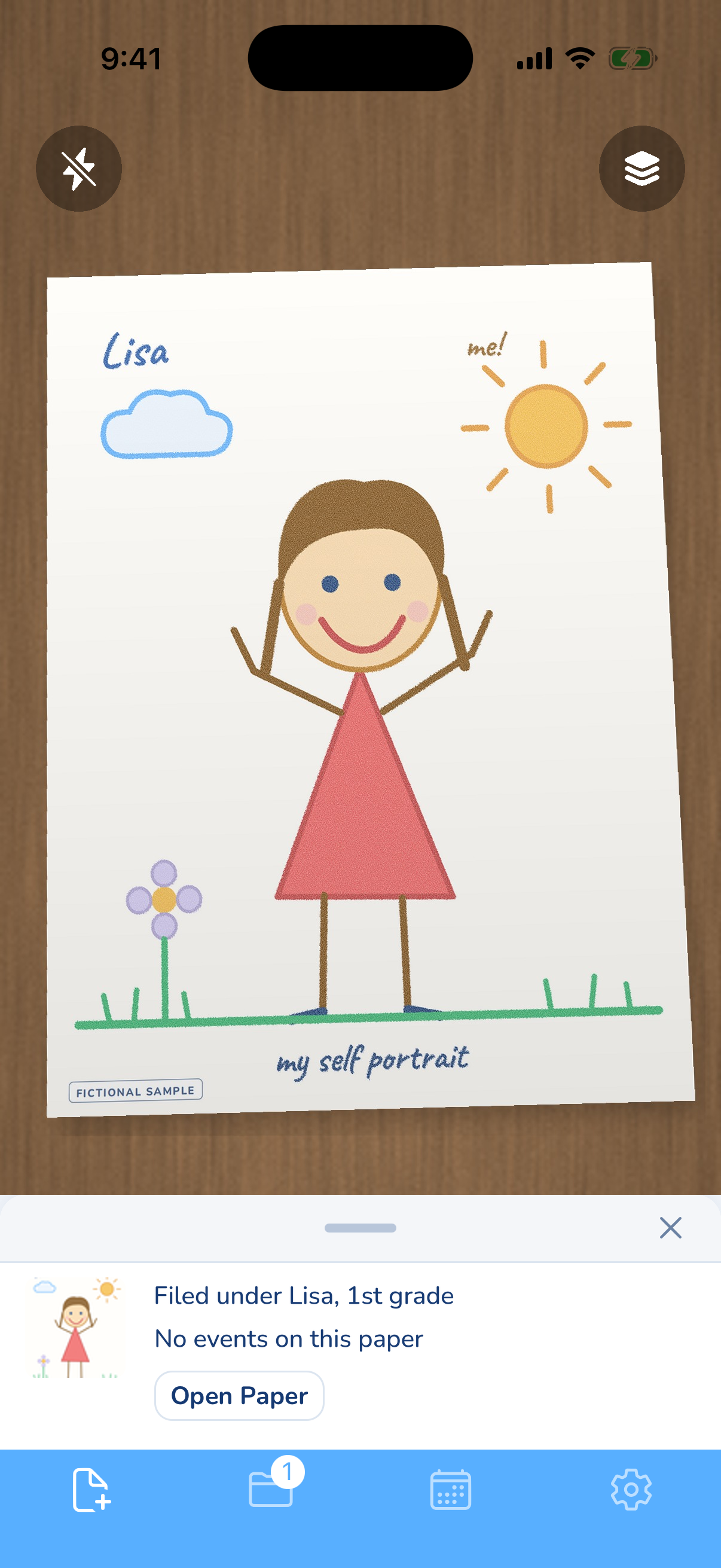
Snap the drawing, or pick the pictures you've saved to your photo library, a whole batch at once, and each is kept for good as a scan you can share. Share a kid's folder with the grandparents, and one tap on Back up copies every paper to your own Google Drive or iCloud, in a folder for each kid.
Each drawing is filed as Artwork under that kid and grade with no sorting, and report cards, awards and class photos are kept for good the same way. Years of drawings fit on your phone, so once a piece is scanned, the paper can go.
If your Keepy also held worksheets and report cards, we compared apps for filing school papers.
For free, on the phone you already have: Google Photos or Apple Photos
If you mostly want the pictures safe and free, the photo app already on your phone is enough. Google Photos gives you 15 GB per Google Account (Google), and iCloud starts with 5 GB free (Apple).
To keep each kid's drawings together, make an album for each kid. Google may also delete content if you've been inactive in Google Photos for two years, so open it now and then (Google).
For prices and the full comparison, see the apps for saving kids' artwork we compared.
Keep your own copy, whatever you use
Once or twice a year, download a copy of your kids' art to a computer or a drive you control. Then the art lives in more than one place, whichever app you use day to day.
- Google Photos: Google Takeout makes an archive of your photos and sends it to you by email link, or to Dropbox and other services (Google).
- iCloud Photos: on iPhone, use Export Unmodified Originals. On a Mac, choose Download Originals to this Mac. On iCloud.com, you can download up to 1,000 items at a time (Apple).
Common questions
Is the Keepy app still working?
We couldn't reach it on any channel we checked. When we checked, keepy.me's security certificate had expired, its help center redirected to Zendesk's "help center closed" page, and we couldn't find Keepy's kids' app in the App Store or Google Play. We found no statement from Keepy explaining why.
Can I still download the Keepy app?
We couldn't find it in the App Store or Google Play. Apple reinstalls an app from your purchase history only "if it's still available," so if Keepy is still on your phone, keep it installed. Turn off Offload Unused Apps on iPhone, or "Manage app if unused" on Android, until your pictures are saved.
What happens to the photos I saved in Keepy?
We couldn't find anything from Keepy that says. Don't delete the app, and save every picture you can still open. If you ever turned on Keepy's Dropbox sync, check your Dropbox for copies. If the originals are still in a drawer, rescan them.
What can I use instead of Keepy?
It depends on what you used Keepy for. As an alternative to Keepy, Artkive makes printed books and offers mail-in digitizing, Keepbox adds voice or video notes to each piece, Google Photos and Apple Photos are free and already on your phone, and KidsFoldr files art with schoolwork and report cards by kid and grade.